
Hellbender Wallet
Travel to your private keys and leave your laptop at home.
An iOS Bitcoin multisig coordinator written in Swift
Travel to your private keys and leave your laptop at home.
An iOS Bitcoin multisig coordinator written in Swift
When following multisig best practices, your private keys are stored in separate secure locations. When it's time to spend, you want to travel between secure locations, collecting signatures, not private keys, along the way. Hellbender handles building the transaction and coordinating the signatures so your keys can stay put.
Private keys never touch your phone. Hellbender only stores public descriptors, so even if your device gets compromised, your funds can't get stolen.
Build a transaction at home, travel to your secure private keys, collect signatures via QR and your hardware signing device, then move to the next location.
All communication with hardware signers happens through QR codes. No USB cables, no Bluetooth pairing, no NFC tap. Cameras and screens. That's it.
Designed to complement best-in-class desktop coordinators like Sparrow Wallet. Move PSBTs between your desktop and your phone with QR codes or files.
Pick any M-of-N quorum: 2-of-3, 3-of-5, whatever fits how you want to secure your funds.
Pass transaction data back and forth with animated QR codes. Supports both UR and BBQR encoding. No cables or wireless connections involved.
Zero private keys on your device. Hellbender keeps public descriptors only, enough to track balances and build transactions, but not enough to spend.
Coin control the way it should be. Select specific UTXOs, freeze the ones you don't want to touch, and keep your privacy intact.
Transaction stuck in the mempool? Bump the fee with Replace-By-Fee. No need to rebuild the whole thing from scratch.
Works on mainnet, testnet3, testnet4, and signet. Get comfortable with your setup on a test network before putting real sats on the line.
BIP-174 all the way. Build a PSBT, pass it between signers, collect what you need, and broadcast when it's ready.
Bring in wallet descriptors by scanning a QR or pasting text. Export your full wallet config as a PDF you can stash offline.
The code is all out in the open. Read it, audit it, build it yourself. Don't trust. Verify.
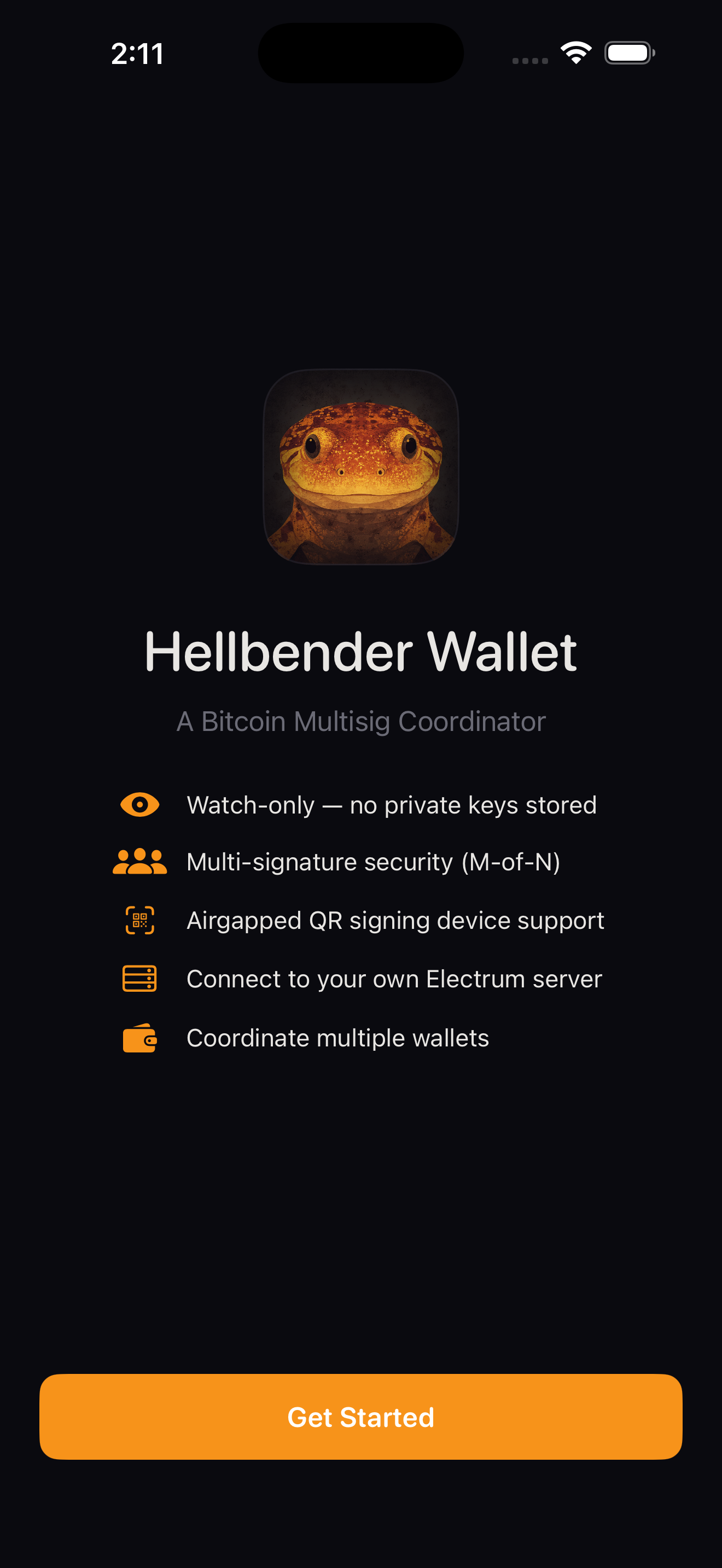
Welcome
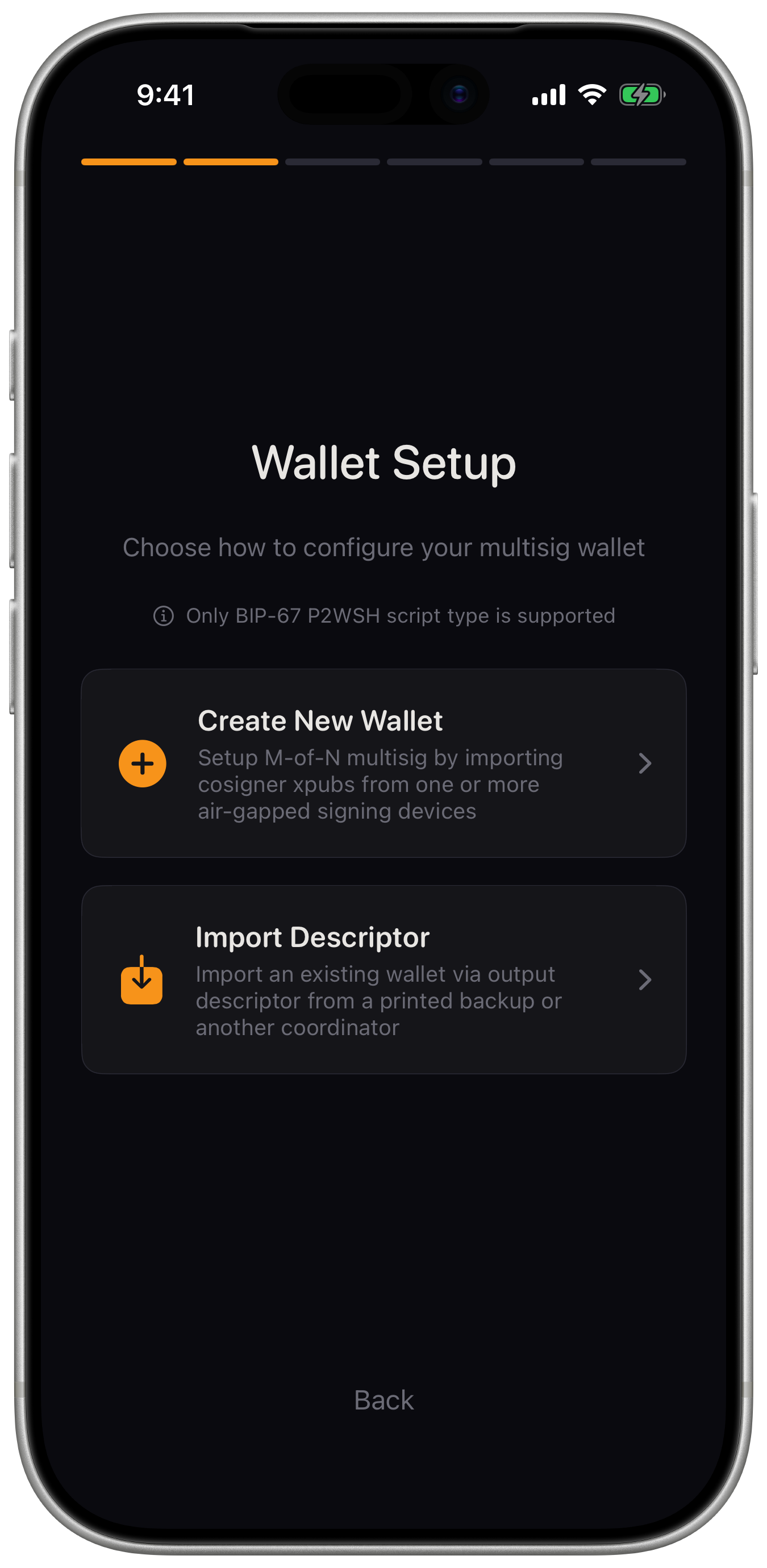
Setup Choice
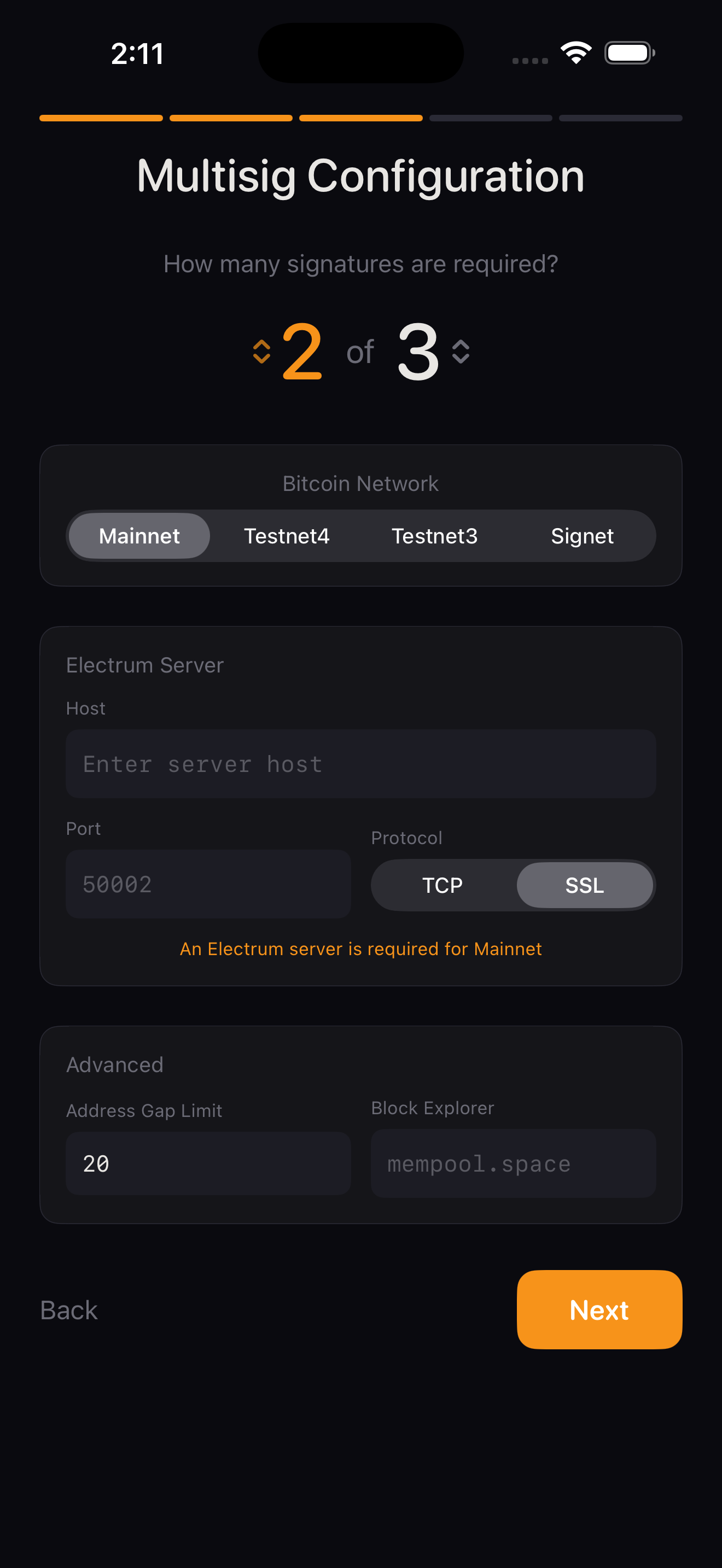
New Wallet Multisig Config
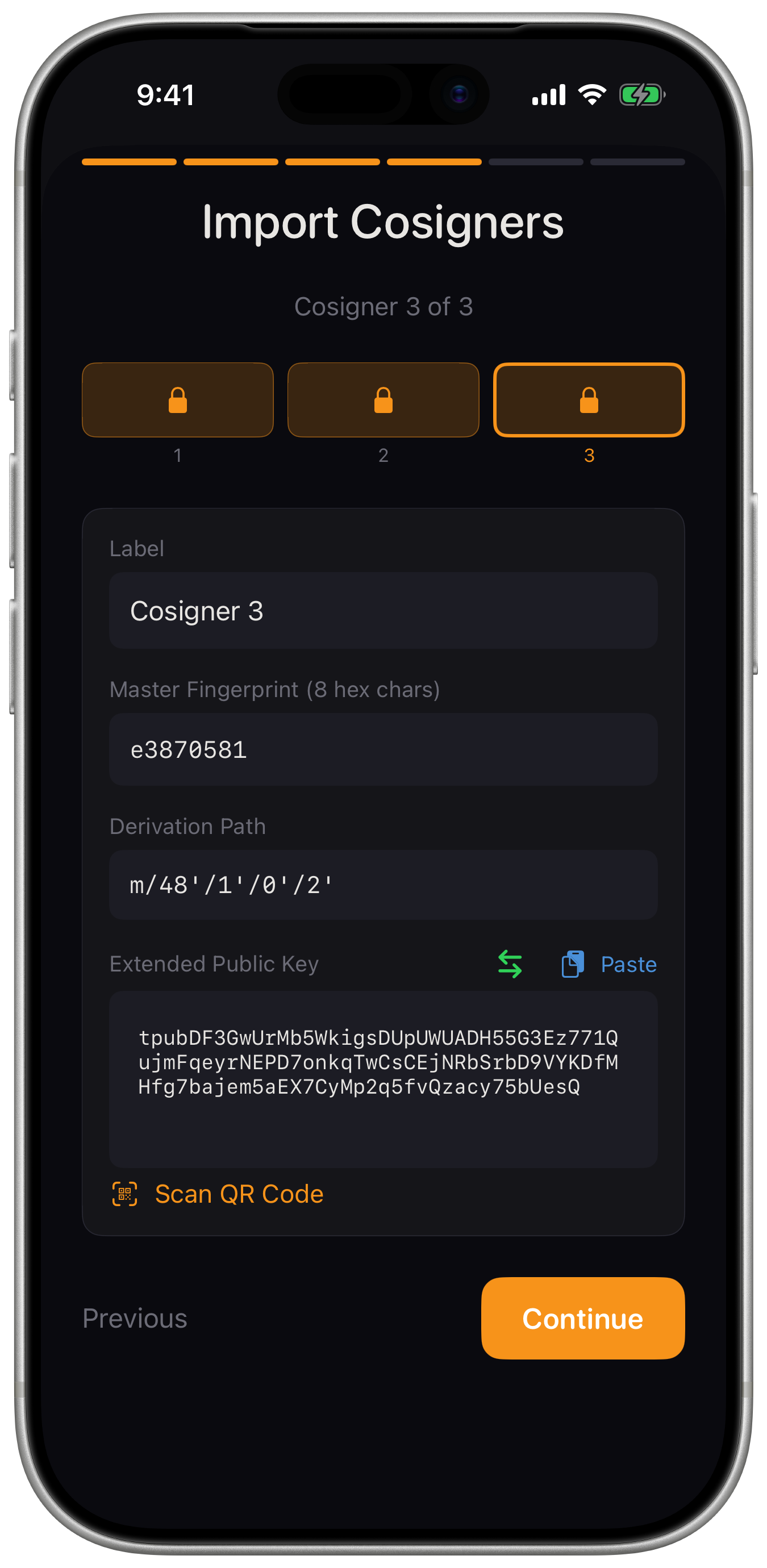
Cosigner Import
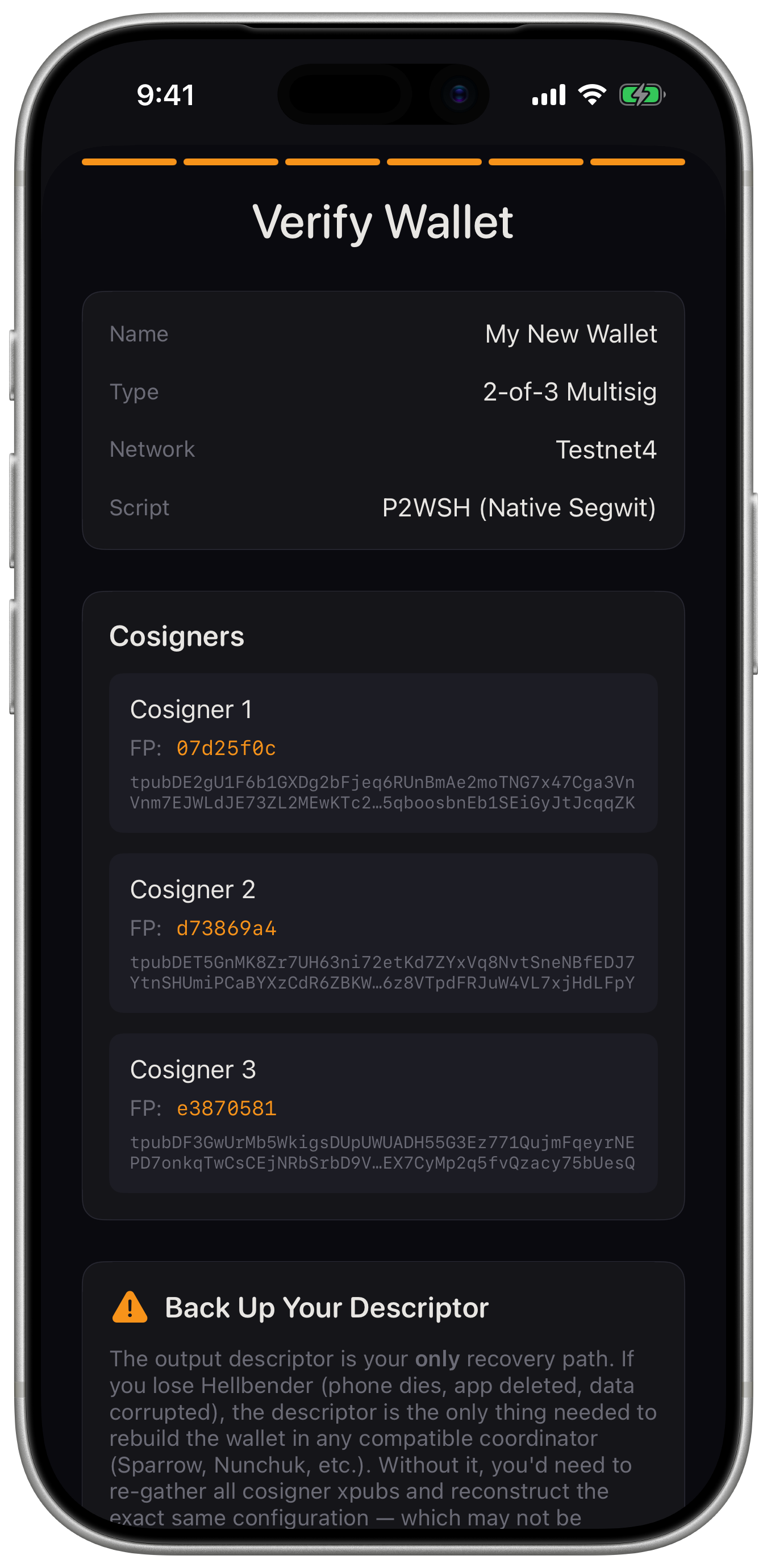
Verify Wallet
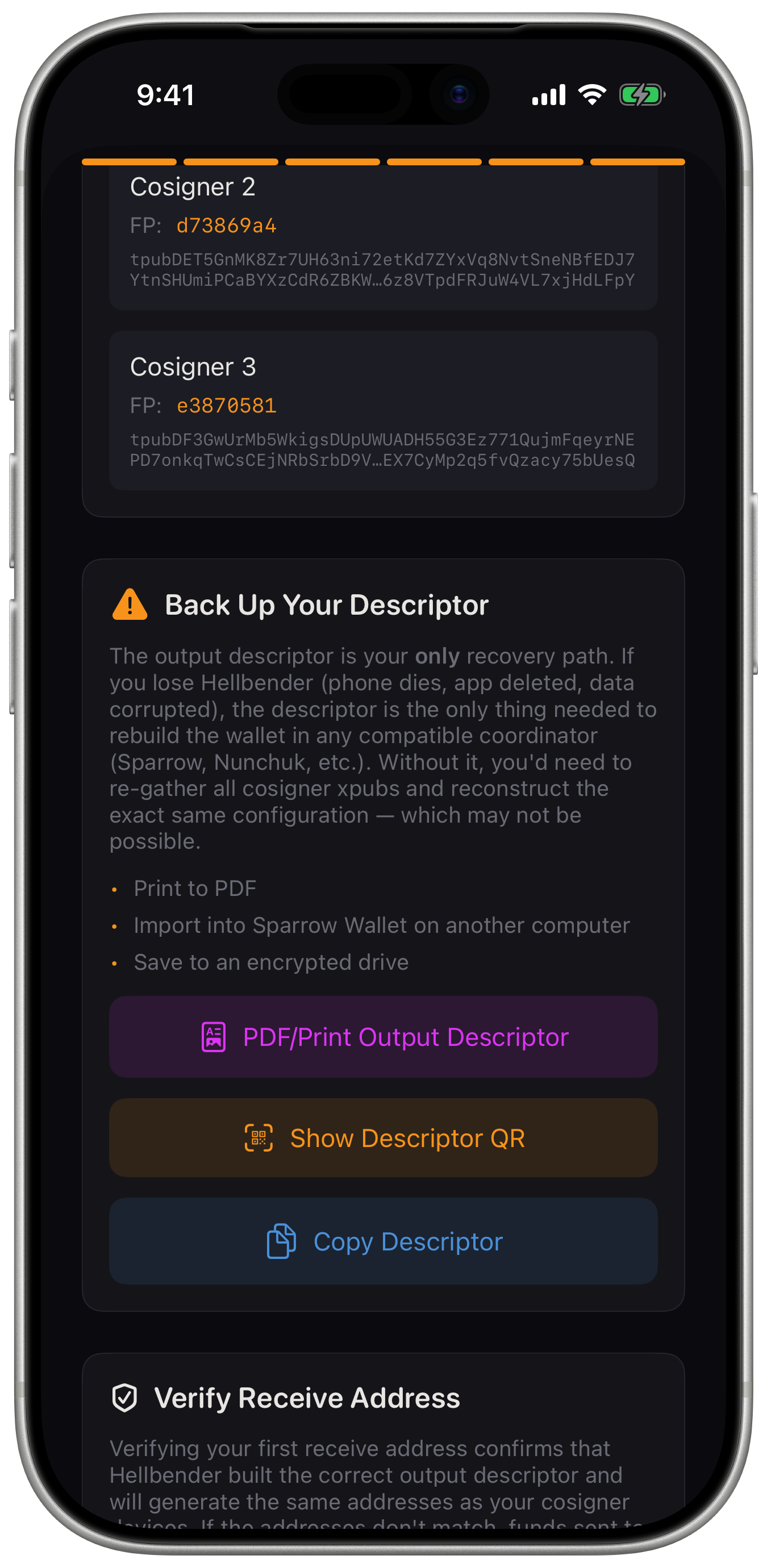
Backup PDF/QR
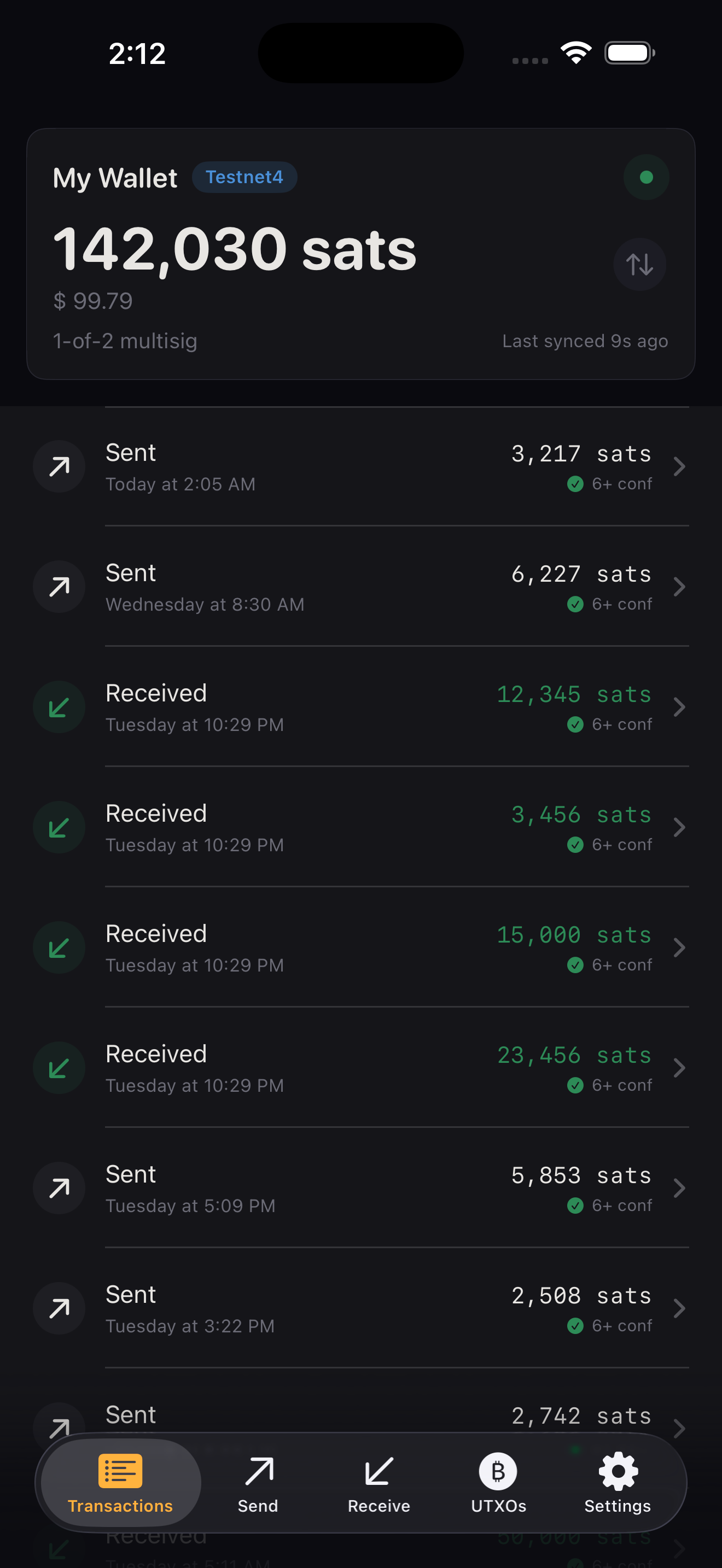
Transactions
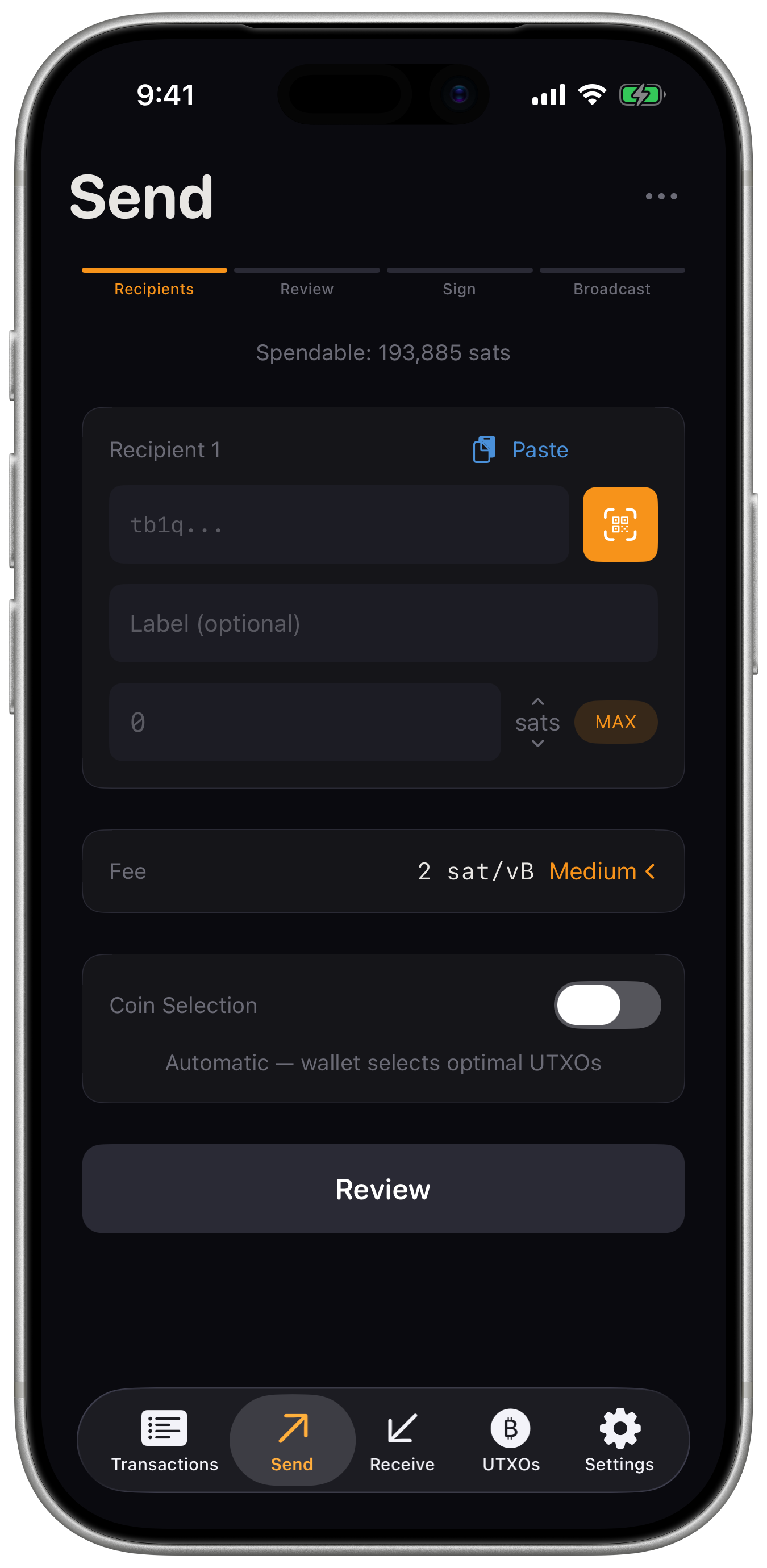
Send
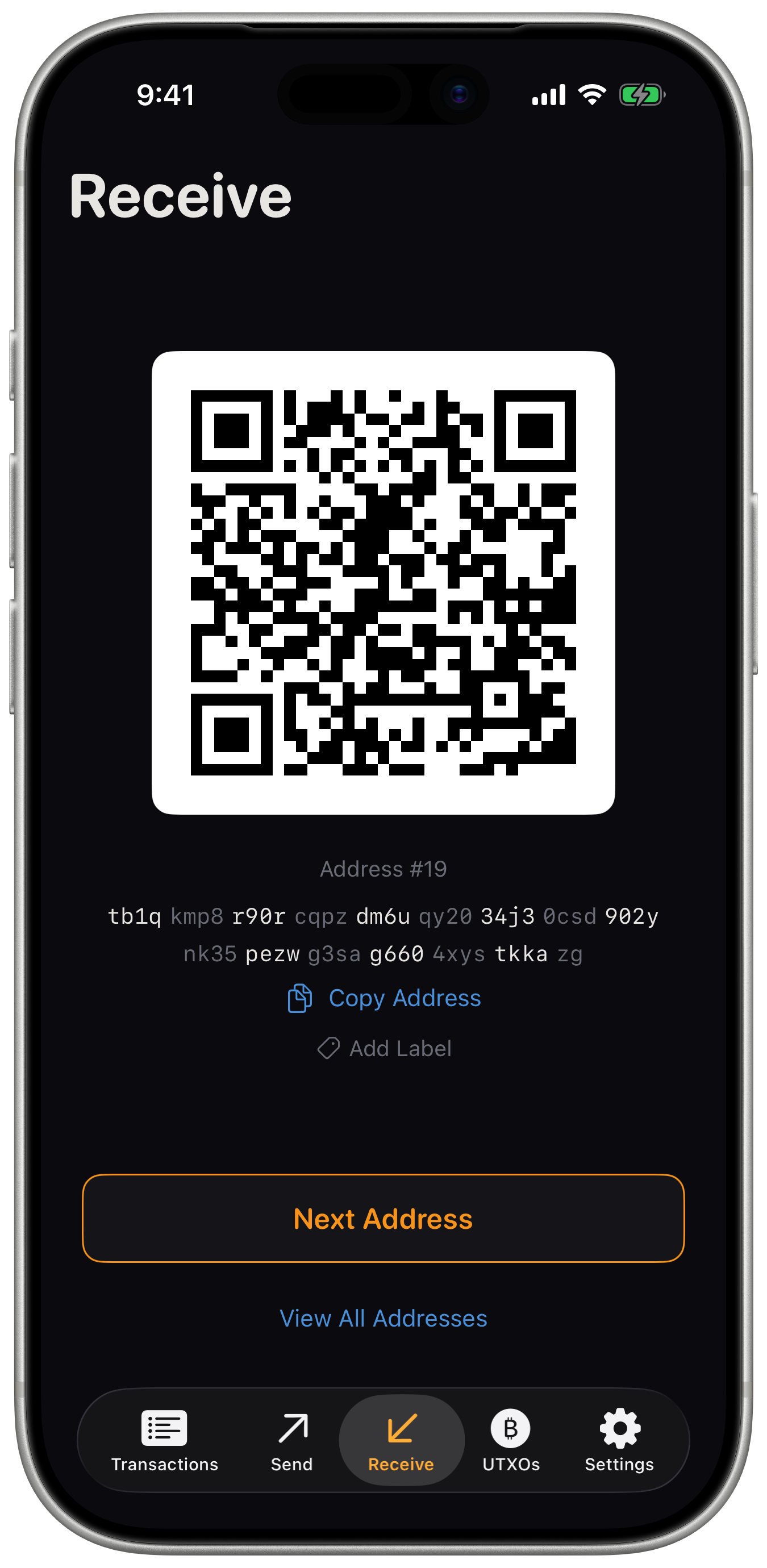
Receive
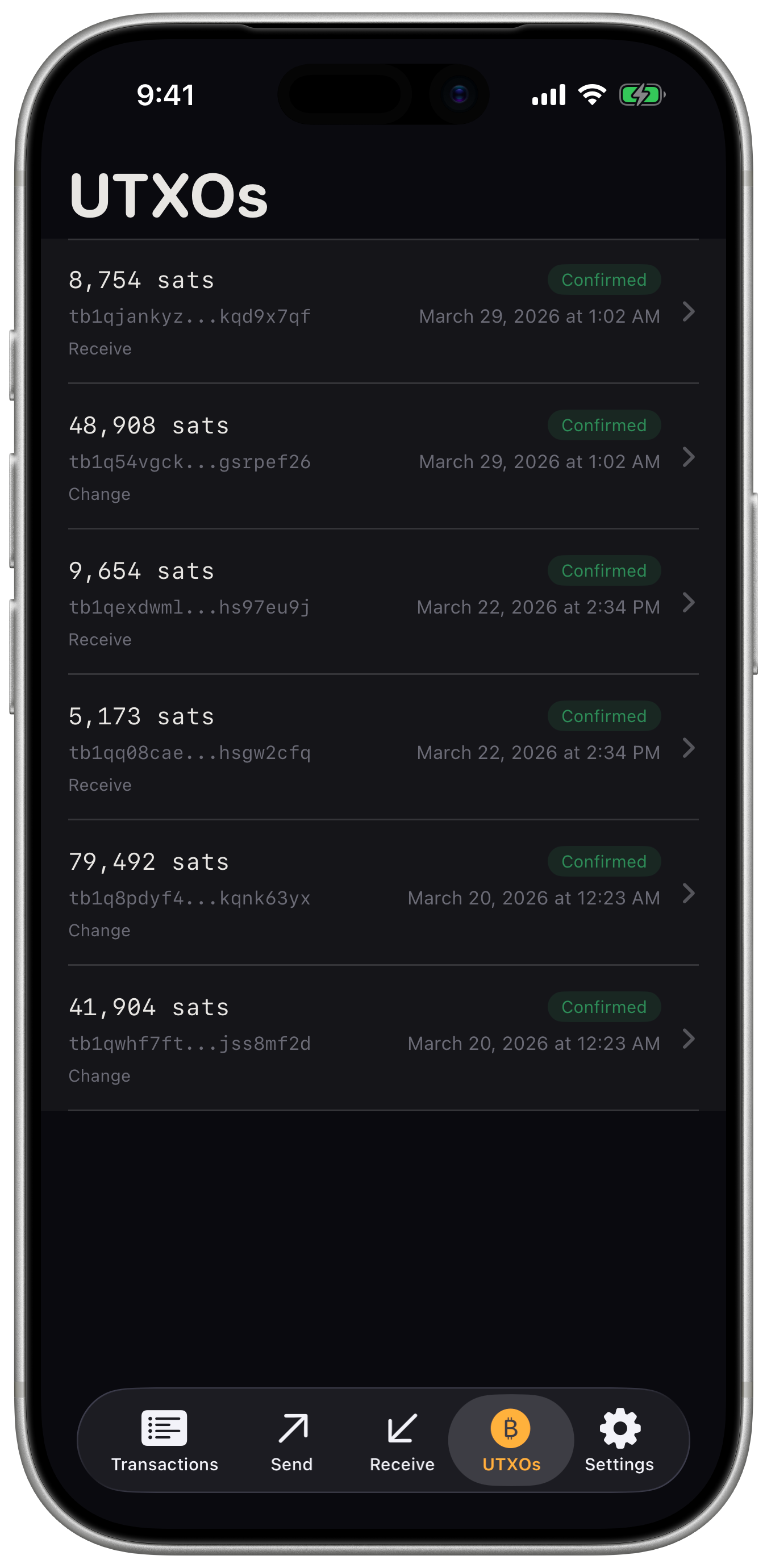
UTXO
Short version: you need more than one key to spend. In a 2-of-3 setup, any 2 of your 3 keys must sign before bitcoin moves. Lose one key? Still fine. Someone steals one? They can't do anything with it alone. That's the whole point: no single key is a single point of failure.
It means Hellbender can see your wallet but can't spend from it. The app holds public descriptors, enough to show your balance and put together unsigned transactions. The actual private keys? Those live on your hardware signers, completely separate from your phone.
Hellbender builds an unsigned transaction (PSBT) and displays it as an animated QR code on your phone screen. Point your hardware signer's camera at it. The device signs offline and shows the result as its own QR. Scan that back into Hellbender, and you've collected a signature. The two devices never actually connect. It's all just cameras pointed at screens.
Any hardware signer that can exchange BIP-174 PSBTs through QR codes should work, as long as it speaks UR (Uniform Resources) or BBQR. That covers most of the popular air-gapped hardware wallets out there. When in doubt, check whether your device supports QR-based PSBT signing.
I would recommend using a SeedSigner
Think about where your signing devices actually are. A safe deposit box, a relative's house, a fireproof safe across town. When it's time to sign it's easier to travel with a phone. iPhones also have great cameras for QR scanning. Just seems more practical than a laptop.
It stands for Partially Signed Bitcoin Transaction, defined in BIP-174. Basically, it's a standard way to hand an incomplete transaction between devices. You build it on one, collect signatures from your various hardware signers, and once you have enough signatures, broadcast it. No single device ever needs access to all the keys.
Hellbender uses BIP-48 P2WSH (native SegWit multisig) derivation paths:
m/48'/0'/0'/2'm/48'/1'/0'/2'These are the standard multisig paths and most hardware signers support them out of the box.
This is one of those things you want to do immediately after creating your wallet. The output descriptor contains every extended public key plus the exact configuration for how those keys combine into your multisig setup. Two big reasons to keep a copy:
First, if you ever lose one of your seeds or private keys, the full wallet descriptor is what lets you recover without losing access to your funds. Lose a cosigner key and don't have the descriptor? Those funds are gone permanently.
Second, the descriptor is your reference for verifying that receive and change addresses actually belong to your wallet as originally configured. Hardware signers like SeedSigner won't remember your wallet config between sessions, and if your coordinator software were ever compromised, an attacker could try to feed you a fake descriptor to trick address verification and redirect funds.
One thing worth knowing: the descriptor is private but not secret. Someone who gets hold of it could watch your transactions, but they can't spend anything. So a printed hard copy in a safe works great, but storing it on your computer or even in cloud storage is also reasonable depending on your threat model. Hellbender can export the full descriptor as a PDF for exactly this purpose.
Yes, but Hellbender does not ship with a default public Electrum server. For mainnet, the expectation is that you're running your own node or connecting to an Electrum server you trust. This is a self-custody tool, and relying on someone else's server to feed you blockchain data on mainnet defeats the purpose. For test networks, public servers are included to make it easy to get started.
100%. Every line of code is on GitHub. Audit it, build it yourself, or fork it.
Not the end of the world. There are no private keys on your phone, so there's nothing for a thief to take. Your funds are still locked up by your hardware signers in their separate locations. As long as you have a good backup of your wallet output descriptor, just install Hellbender on a new phone and re-import it. You're back in business.
Hellbender Wallet is a free, open source project created and maintained by Nick Klockenga. There's no company behind it, no organization, no funding round. Just an open source programmer who wanted a better mobile multisig coordinator and decided to build one.
If you run into a bug or have a feature request, open an issue on GitHub. You can also find me on Nostr if you want to reach out directly.
npub1rfd0hxdzcze6pzj29thuz34vur57wm9quje7w3edxjgusq6m47csnl7wrt